Administration – Broker tab
The Broker tab within the Administration layer is where the business can manage broker relationships. Lenders can view all registered brokers and accept or reject new broker applications submitted via the aggregator portal. Once approved, brokers gain access to loan applications based on the permissions defined by their brokerage company, enabling them to submit and manage applications accordingly.
Last updated: 29 October 2026
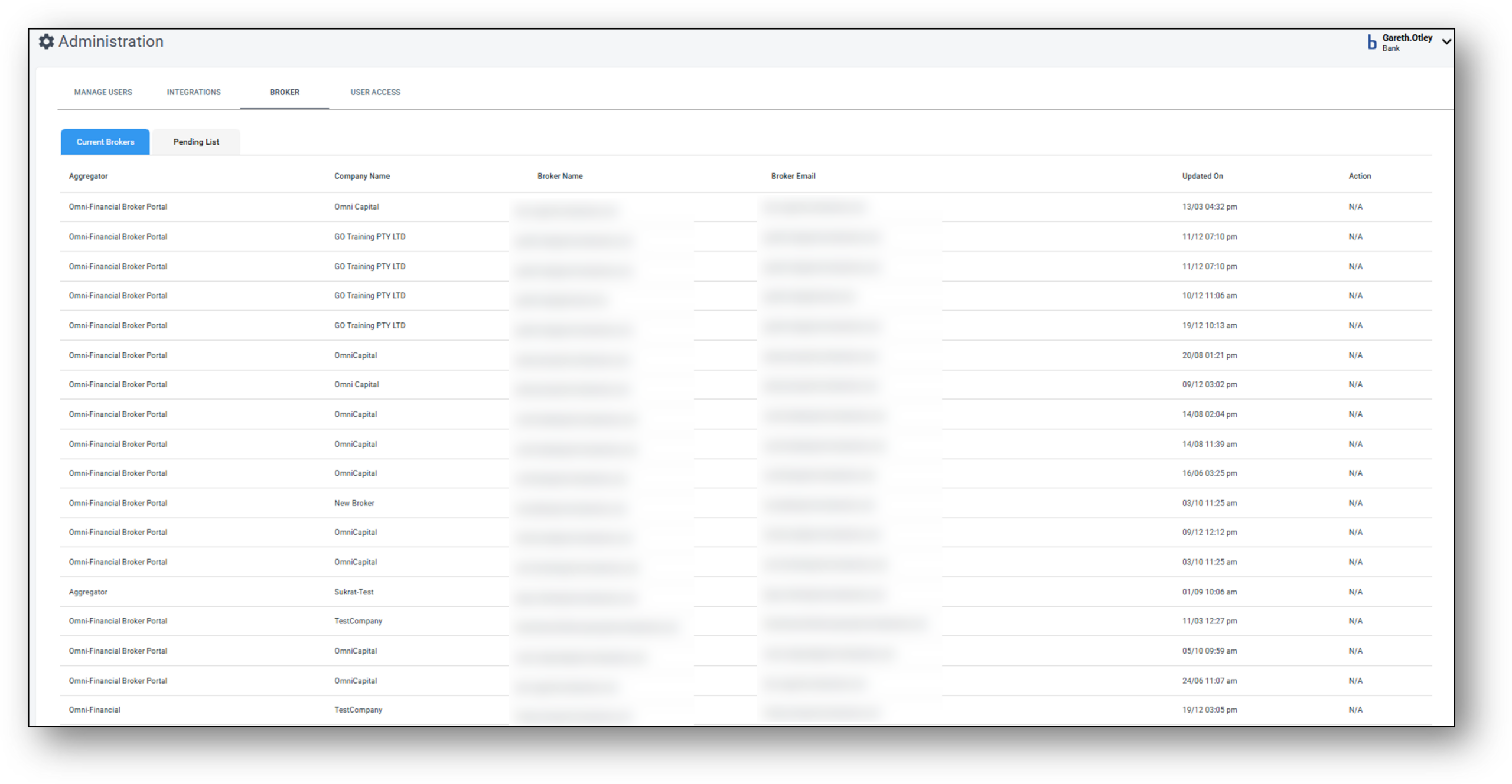

Current Brokers
Current Brokers View
- Aggregator: The overarching business intermediary that provides access for their brokers to a range of lenders that use the Nimo platform
- Company Name: The broker’s company they belong to for aggregation purposes.
- Broker Name: The broker’s login name within the broker portal.
- Broker Email: The brokers work email address used in communications.
- Updated On: This is the date the broker was updated and created in the system.
- Action: N/A
Pending List
TBC
Frequenty Asked Questions
1. Is there any support material that can help me train the brokers?
Yes. Try the ‘Broker Support’ tile to the right on the main support homepage. There are lots of instructions clearly laid out for both the lender and the broker as well as a great video guide repository towards the bottom of the broker page.