Risk – Treasury tab
The Treasury tab allows users to set funding pools to help control loan disbursement and monitor organisational risk management
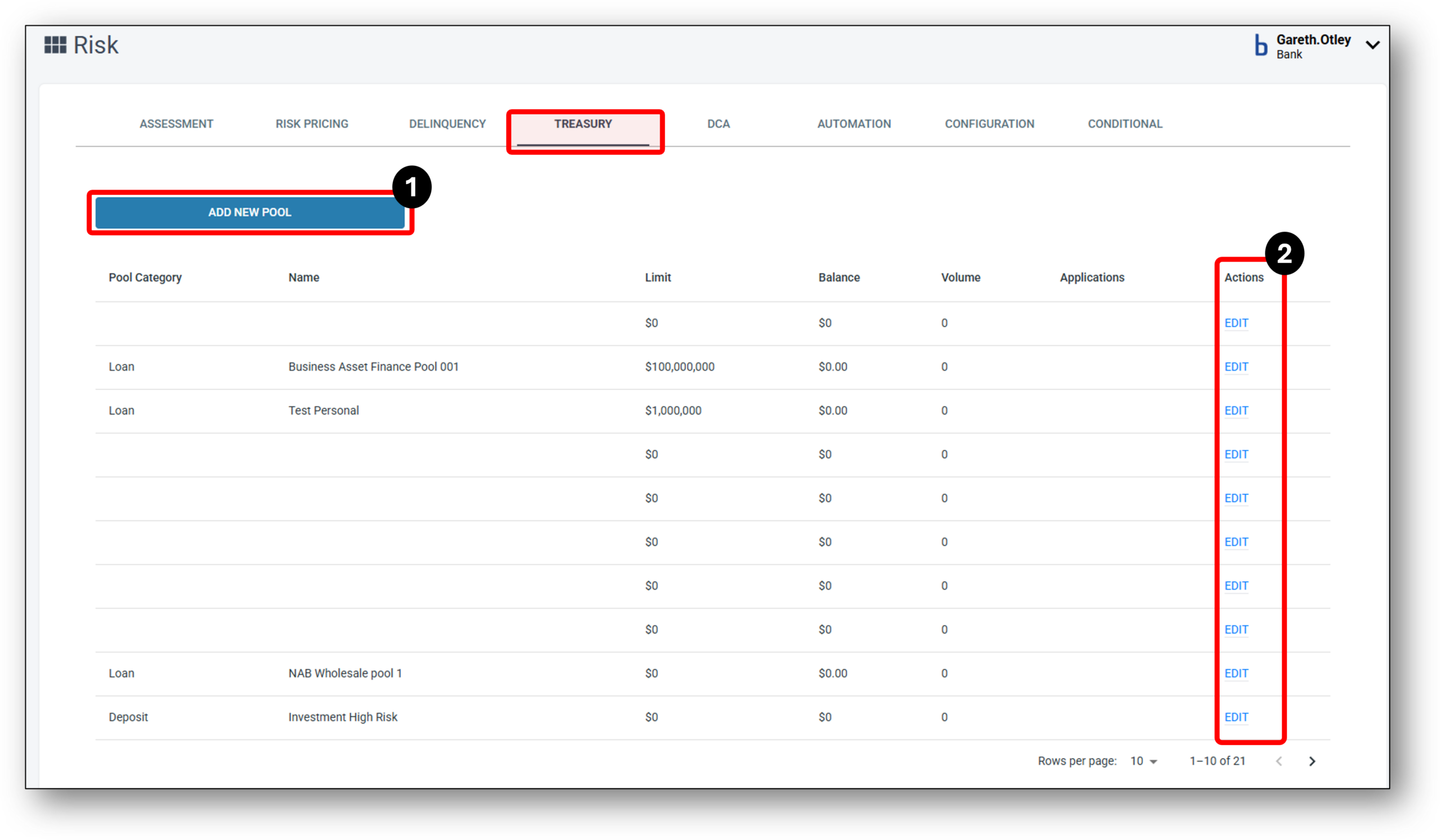

1 - Add New Pool
Funding Pool overview
A funding pool within a bank refers to a collection of funds that are gathered from various sources and combined into a single pool. The funds in the pool can then be used for various purposes, such as lending to borrowers or investing in financial instruments.
Users may create funding pools specifically for a particular loan type to manage funds.
How to add a new funding pool?
Step 1 – Click the add new pool button

Step 2 – Complete the editable fields:
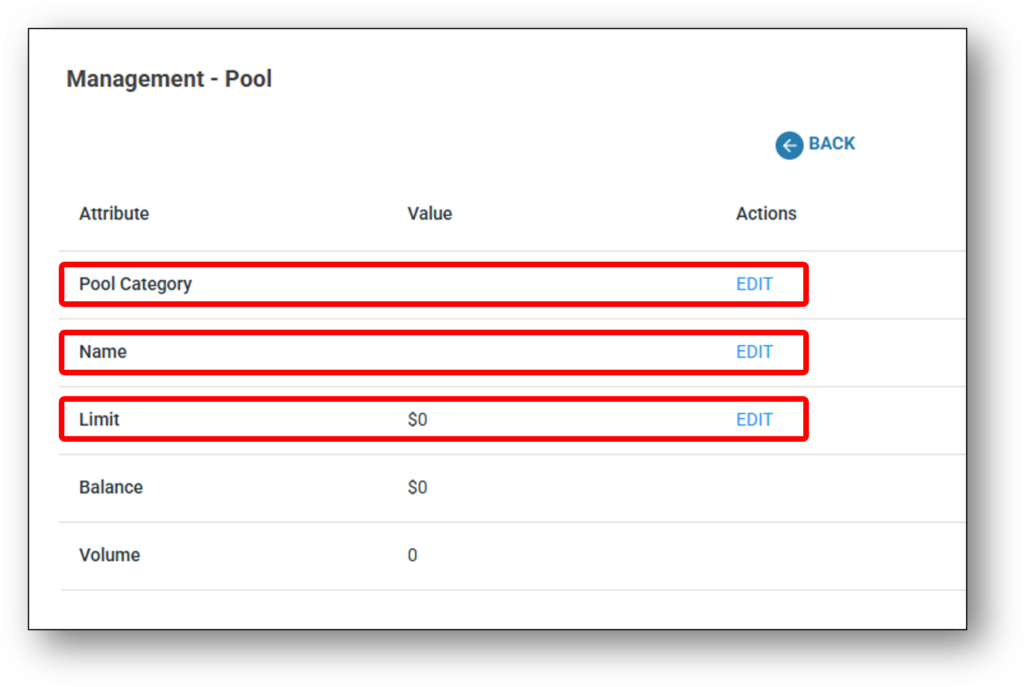
- Select the pool category from the drop down list,
- Loan
- Transaction
- Term
- Deposit
- Provide a name for the new funding pool
- Provide a $ dollar limit for the new pool
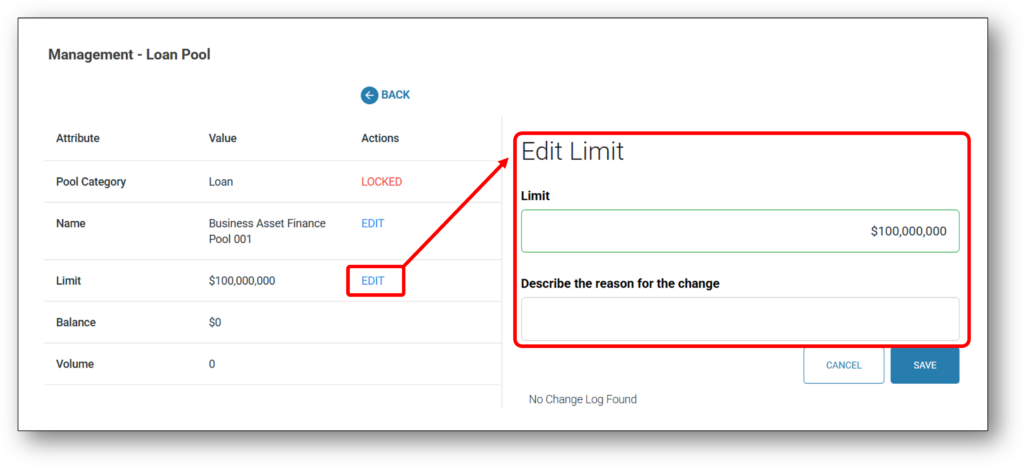
2 - Edit Existing Pool
Simply select the edit feature corresponding with the funding pool you wish to edit. Editable fields are:
- Name of funding pool
- $ Dollar amount of funding pool
Users will notice the Loan category is locked once a new pool category is created.