Risk – Assessment tab
The Assessment tab houses all of your organisations assessment rules as directed by your credit policies.
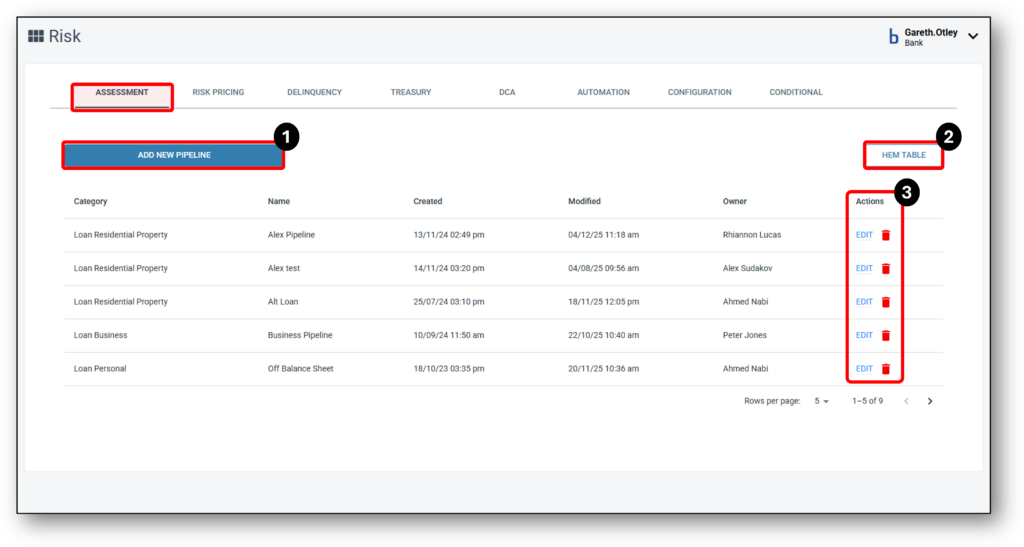
Assessment Ruleset Overview
In Nimo we refer to an Assessment ruleset as an “Assessment Pipeline” as it combines and treats both manual and digital information within one ruleset.
The Assessment tab generates an assessment pipeline that incorporates the credit guidelines and policies specified by the lenders.
After the pipeline ruleset is established, it is linked to the relevant Products.
The Nimo Assessment Pipeline is categorised into the following categories:
- Serviceability
- Asset Position
- Character
- Condition
- Profit & Loss (Commercial product use only)
- Balance Sheet (Commercial product use only)
Within the Assessment pipelines you can delete or include as many questions as you like.
Each rule is made from a list of ‘Parameters’ that relate back to the manual and automated information provided in the Application stage and the treatment of digital data.
Parameters enable all values to be ‘Accepted’ or ‘Referred’ when they do not match up to the rule. The stage that the data is collected, is usually at the Application stage (unless a credit check, valuation or land title), and the stage where the rule is applied to the data is in the Assessment stage.
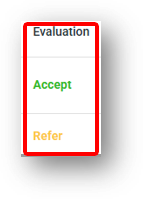
Definitions of the ruleset requirement:
- Equals = exact. For example “Peter Jones” does not equal “Sam A James”
- No less than = The value must be more than the rule value
- No more than = The vlaue must be less than the rule value
- In = A value within a data range that is added into Assessment rule (normally a list)
- Not in = A value within a data range that is added into Assessment rule (i.e If property Postcode is in the range it will refer) (normally a list)
- Require:
-
-
- Used for interest rate buffers or shading percentage.
- Also used for document is required (i.e a PDF of a Land title, Valuation, Credit Bureau report etc)
-
-

1 - Add New Pipeline
After clicking on the ‘Add New Pipeline’ button, you’ll be asked to set three key details of the new pipeline:
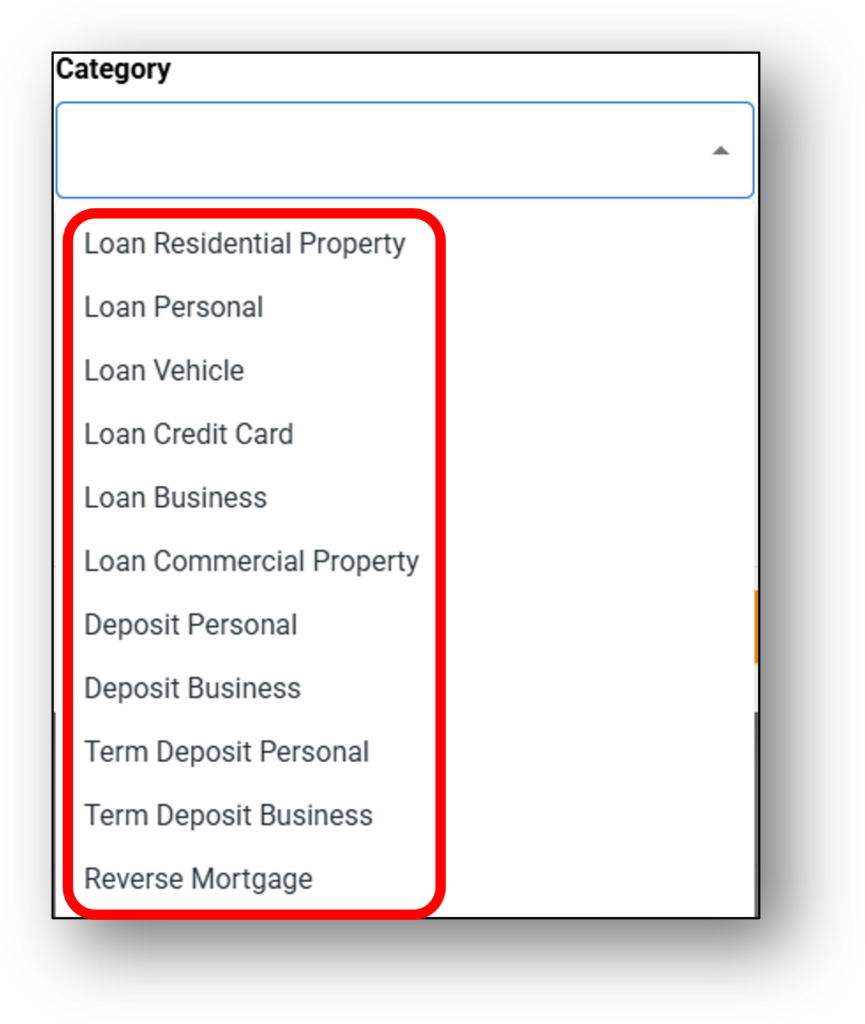
- Select the category of the pipeline,
- Select a name for the pipeline, and
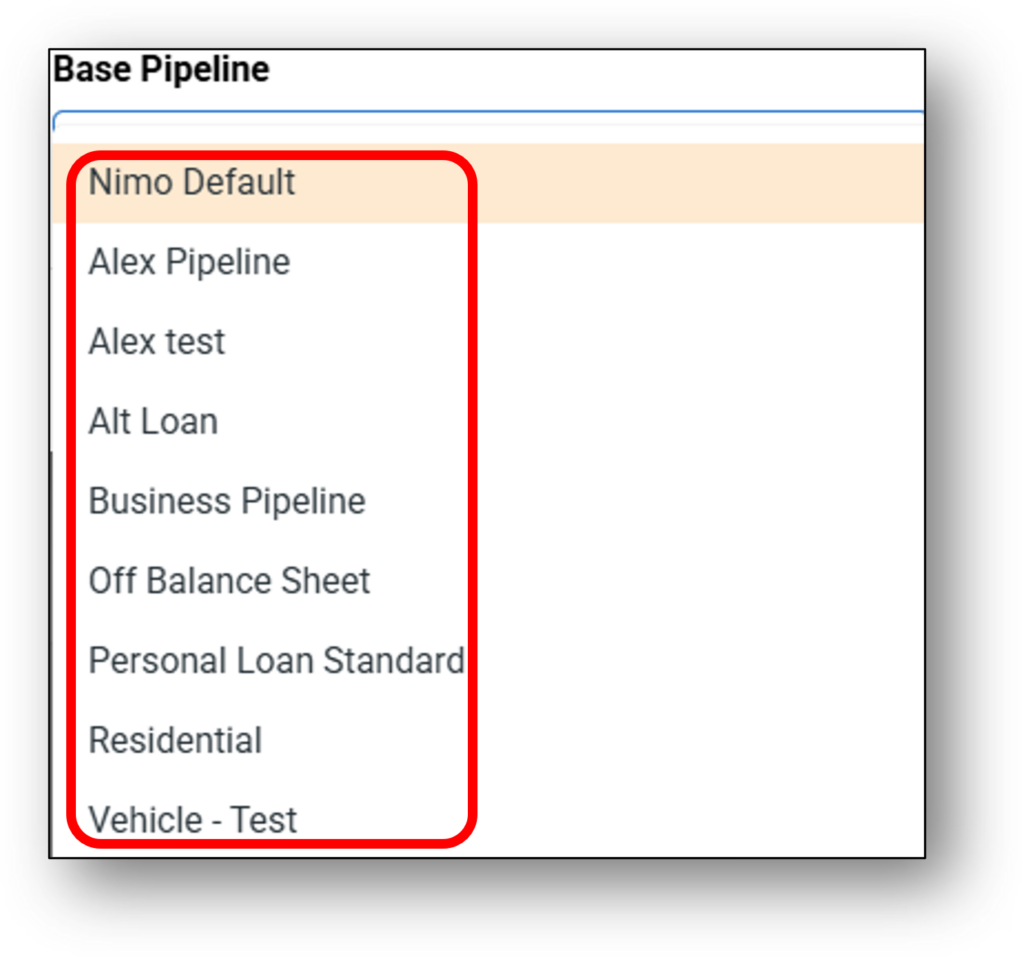
- Select a base pipeline to duplicate as a starting point.
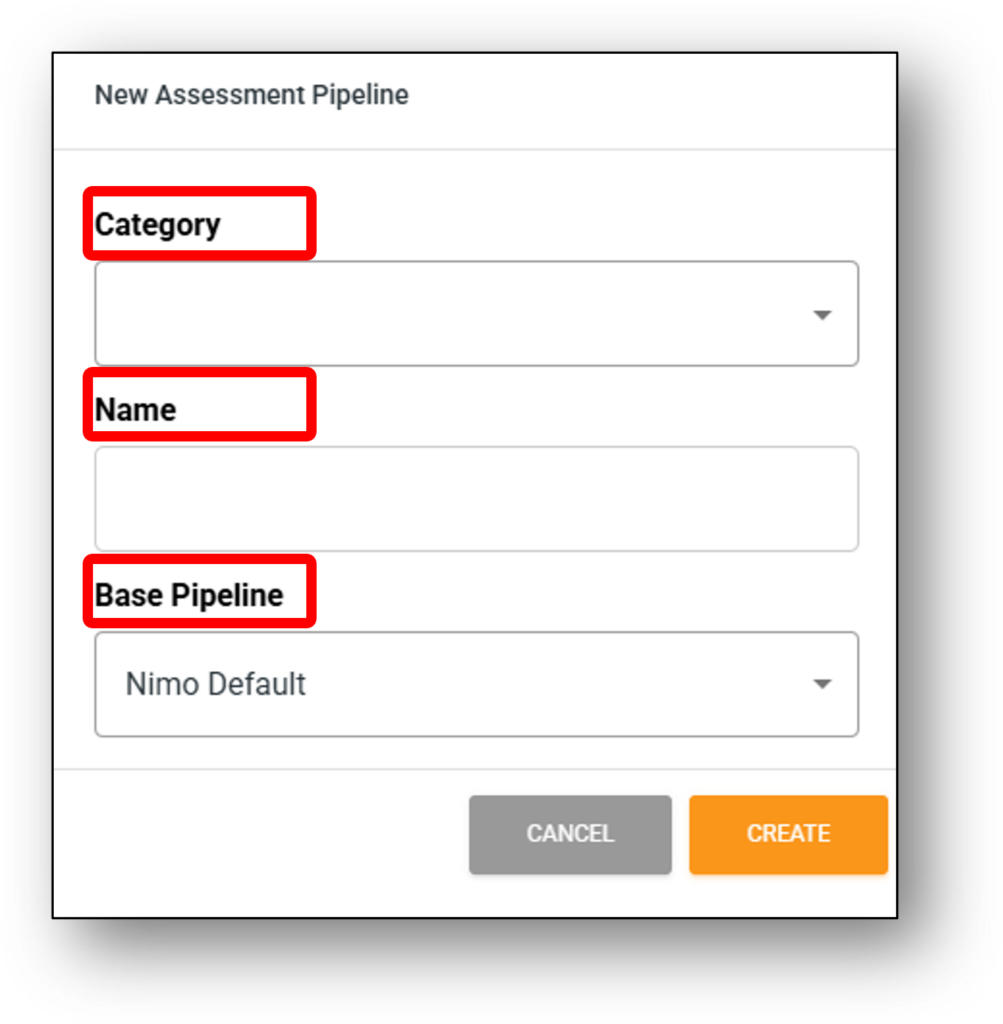
Category Types from both consumer and commercial products
Base Pipelines will be selected from previously selected pipelines
Once your new pipeline has been added, you will be presented with a new area to choose which Assessment rulesets to apply from the 7 previously mentioned categories.
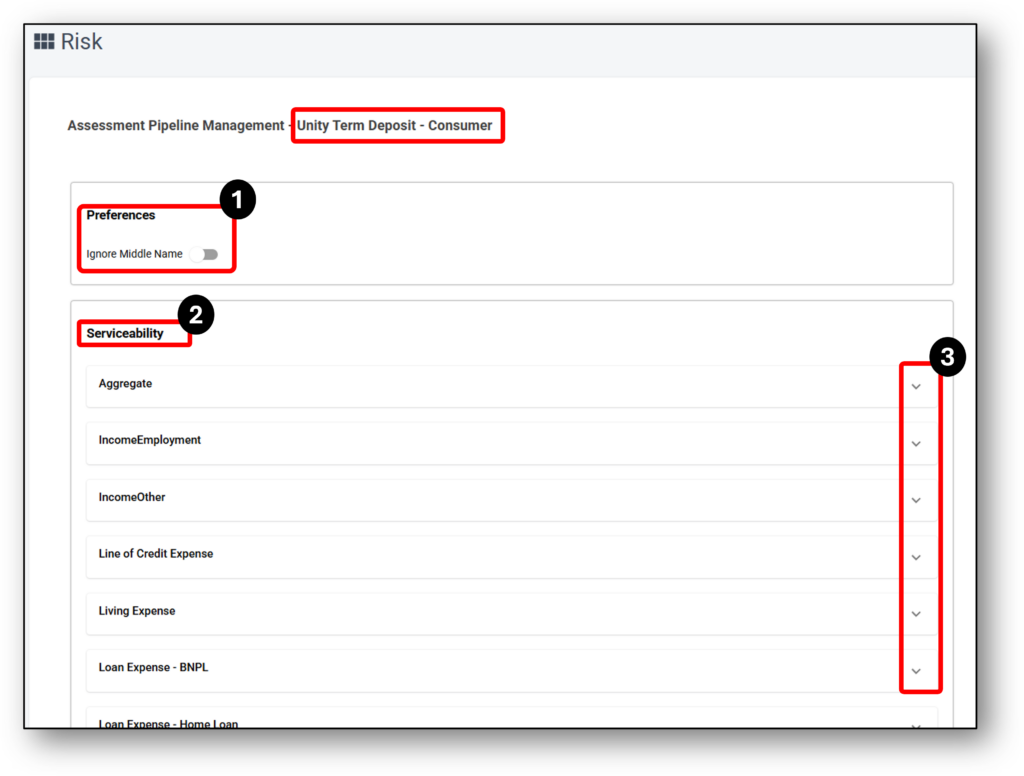
From the above image, Preference is the first of seven categories. Then the Serviceability category has a list of sub-categories each with their own rulesets (indicated by the drop-down arrow on the right hand-side at number 3). Below is a list of the seven categories, their associated sub-categories and their formulas
2 - HEM Table
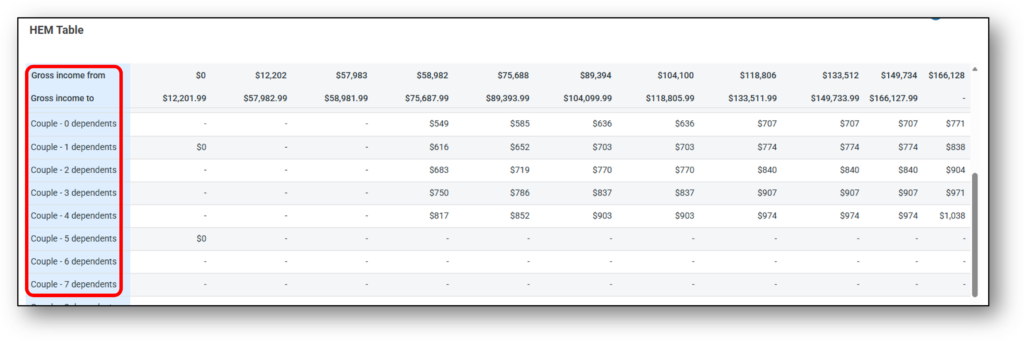
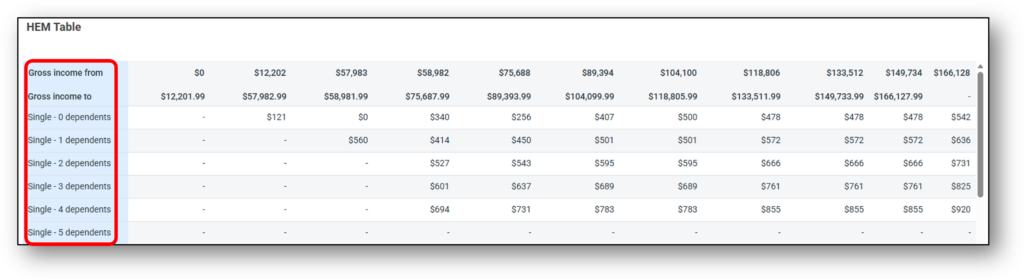
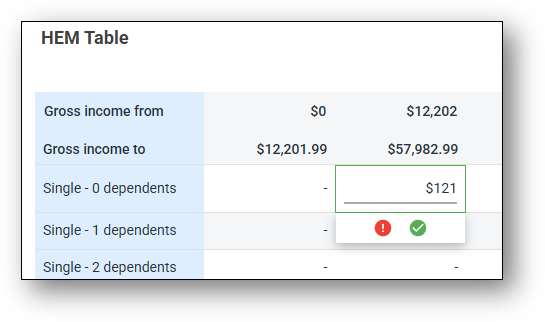

2. Key Account Information o
3. Notes secti

3 - Action/Edit
Nimo Superusers with the right access have the ability to edit existing pipelines that have been mapped to your organisations credit policy and setup originally. To understand each of the rules and their behaviour, there is further details available on the Risk – Assessment Pipeline & Rulesets section of this Support layer.
Documents
Coming Soon