
Internet Banking – Documents tab
This tab provides the user the ability to view or delete any documents related to the account. Any one-off repayments will also create a document that will appear under this tab.
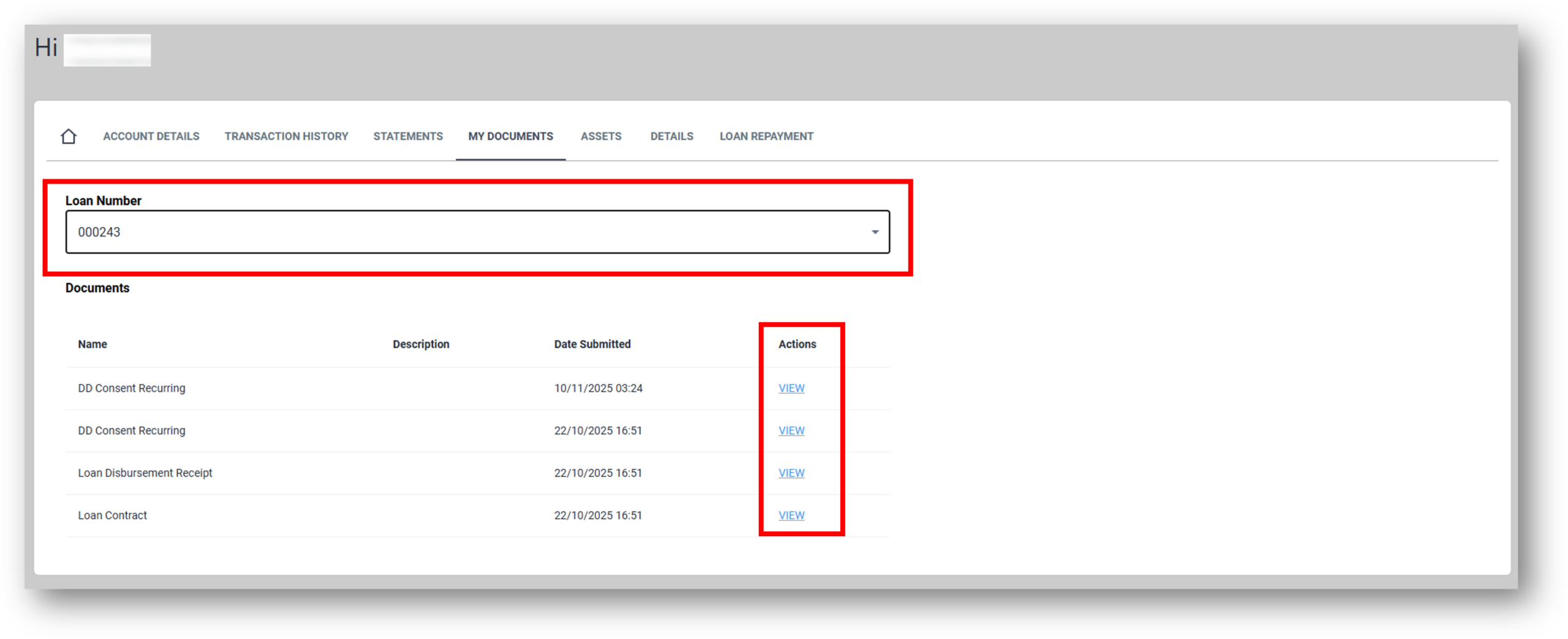

1. Loan/Account filter
Users can first select the account from a drop-down menu to review all the associated documentation for that account of loan.
When selected, the account will show the document name, a description (if that was part of the requested process) and the date the document was created in the system.
The customer will have the option to view/download the documentation by clicking on the view hyperlink. The document will download and appear in the downloads of the browser.
2. Download Documents
When a user clicks on the View button it will download the document as a PDF file.