Assessment – Conditional tab
This section provides a comprehensive list of all conditions that can be applied to a loan application before it receives final approval. These conditions serve as checkpoints or requirements that must be satisfied to proceed with the approval process.
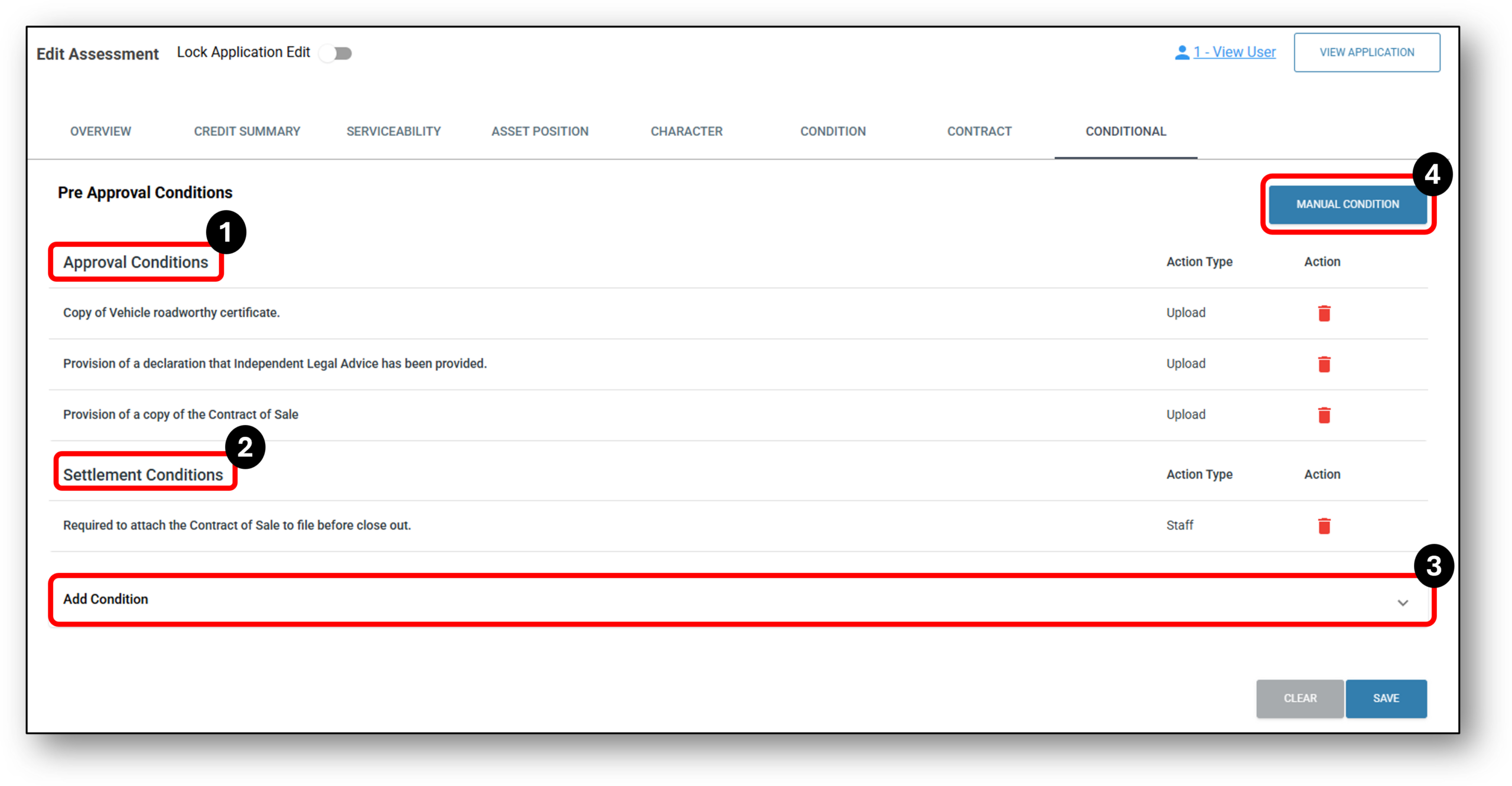

1. Approval Conditions
Your content goes here. Edit or remove this text inline or in the module Content settings. You can also style every aspect of this content in the module Design settings and even apply custom CSS to this text in the module Advanced settings.
2. Settlement Conditions
Your content goes here. Edit or remove this text inline or in the module Content settings. You can also style every aspect of this content in the module Design settings and even apply custom CSS to this text in the module Advanced settings.
3. Add Conditions
Your content goes here. Edit or remove this text inline or in the module Content settings. You can also style every aspect of this content in the module Design settings and even apply custom CSS to this text in the module Advanced settings.
4. manual Conditions
Your content goes here. Edit or remove this text inline or in the module Content settings. You can also style every aspect of this content in the module Design settings and even apply custom CSS to this text in the module Advanced settings.
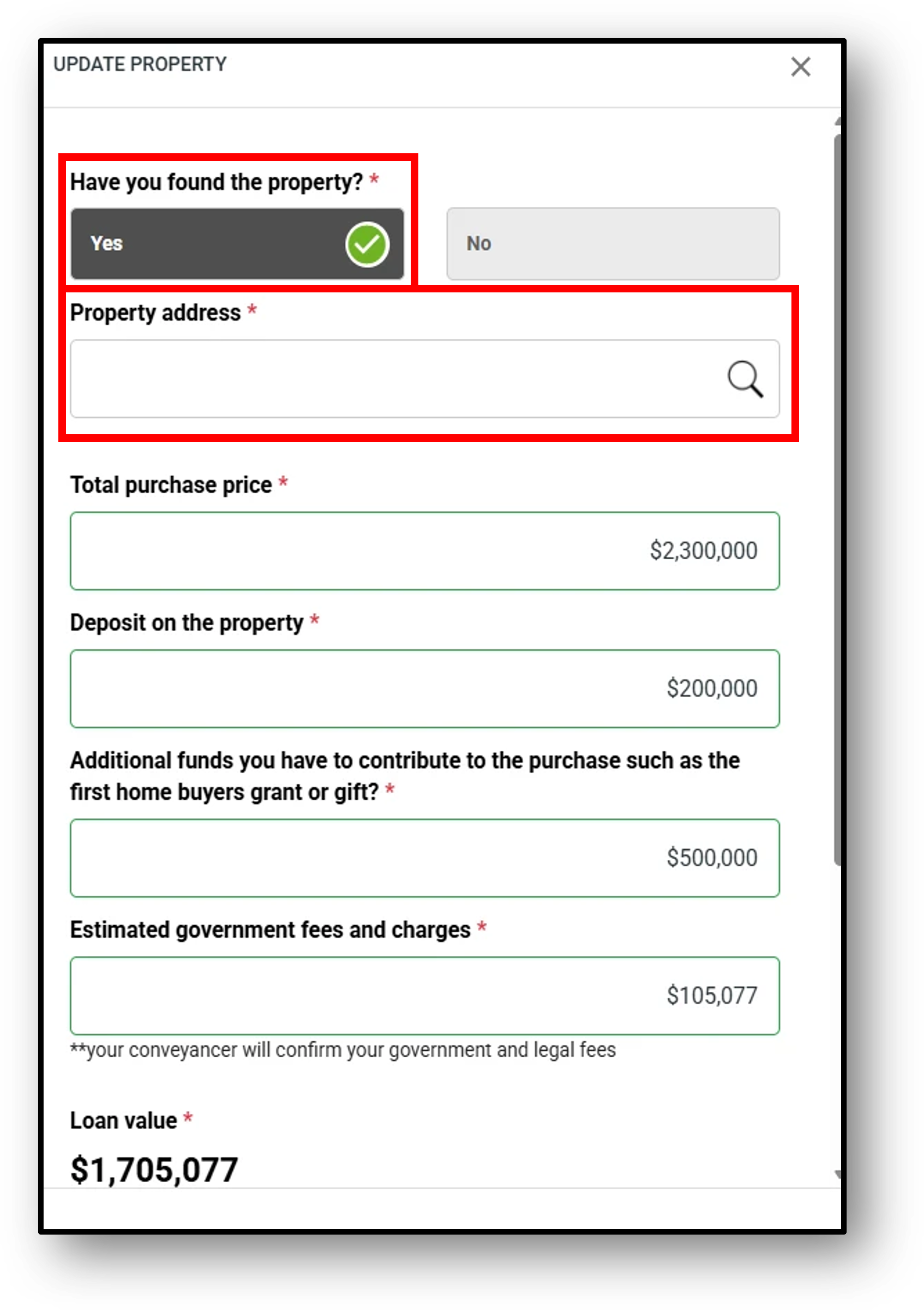
1. What do I do when property is found after the application is submitted as property not found?
We recommend following the below workflow when the property is identified for an application that was originally submitted as ‘Property Not Found‘:
STEP – 1: Submit the application to Assessment and complete the required sections.
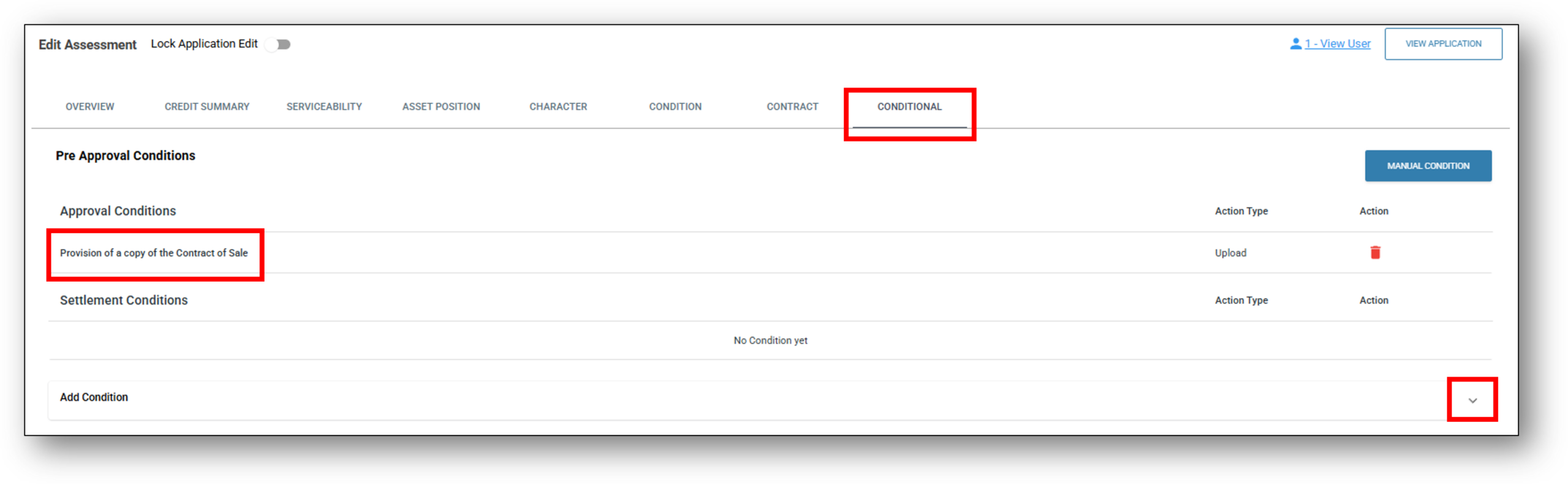
STEP – 2: From the Conditional tab, add the condition: “Provision of a copy of the Contract of Sale.”
STEP – 3: Conditionally approve the loan.
Once the loan is conditionally approved, the Application Overview section will display an “Update Property Address” option.
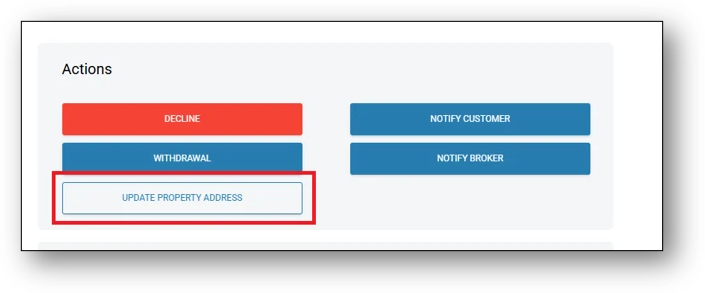
STEP – 4: Use this option to update the property and loan details accordingly.