
Internet Banking – Loan Repayments tab
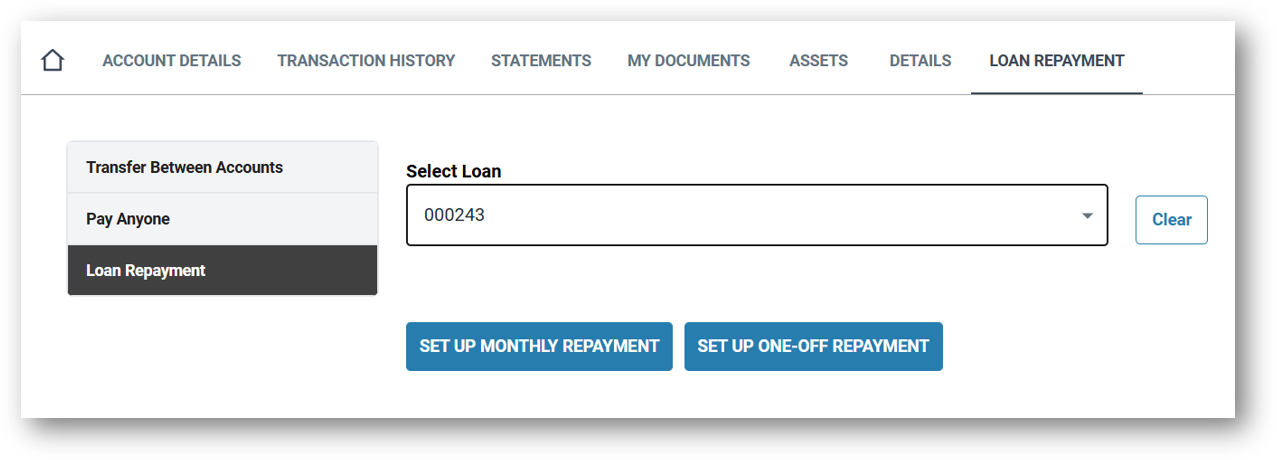
This tab provides the user the ability to setup, modify or delete any recurring Direct Debit repayments that have been setup on the account.
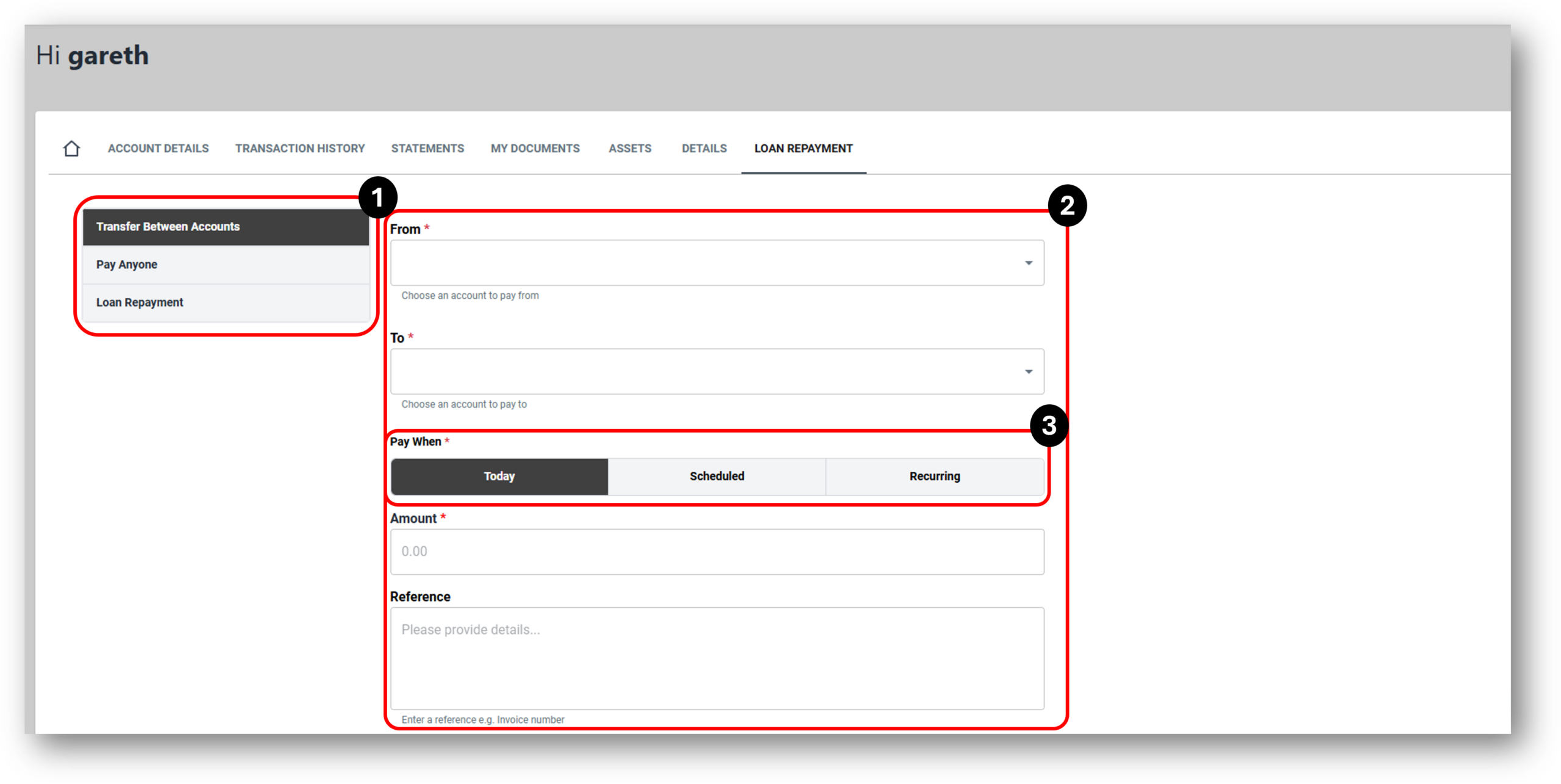

1. Payment Options
There are essentially re payment types withing the Loan Repayment tab for Internet Banking and they are:
- Transfer Between Account
- Pay Anyone
- Loan Repayment
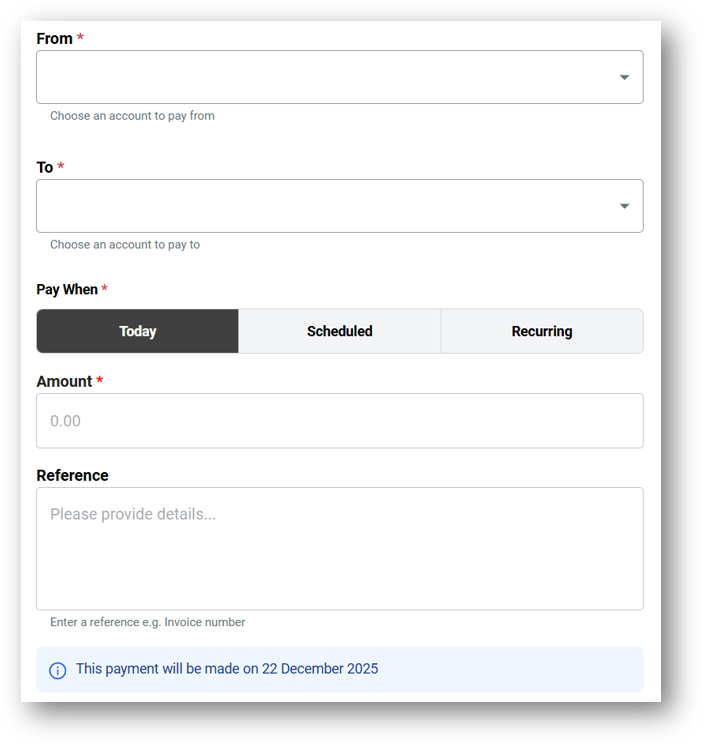
Transfers between accounts – uses existing accounts the customer has with the merchant to transfer funds between accounts. The account options will replicate what is possible. For example a loan account without the ability to redraw will not allow the customer to select that account to transfer from.
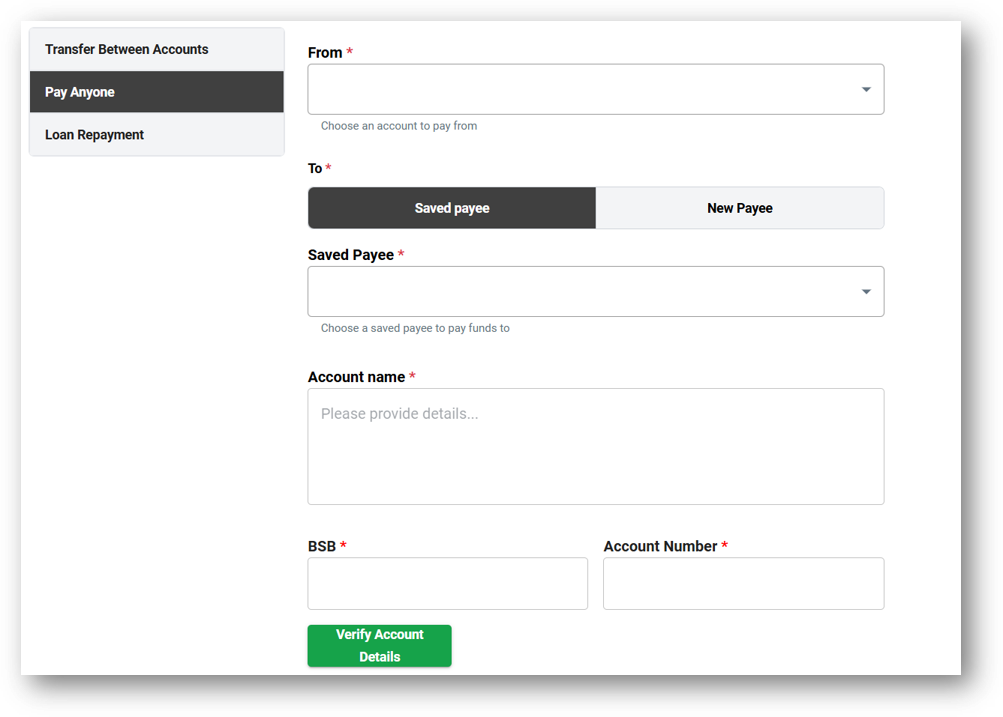
Pay Anyone – allows the user to pay anyone with a BSB and Account number outside of their accounts and their merchant. The Customer can also choose to save the payee for next time if its likely to be a reoccurring payment.
Verify Account Details – TBC
Loan Repayment – The customer can setup regular or one of payments to their loan.
Account Transfer image:
Pay Anyone image:
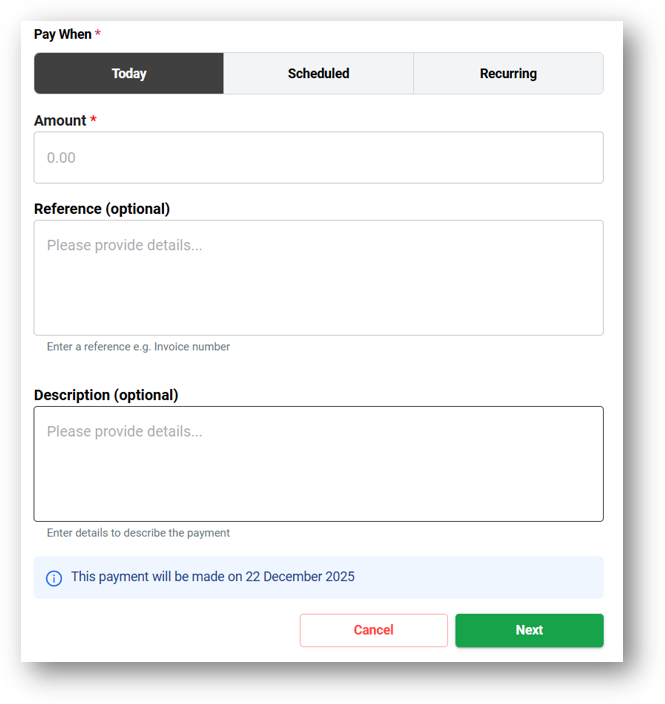
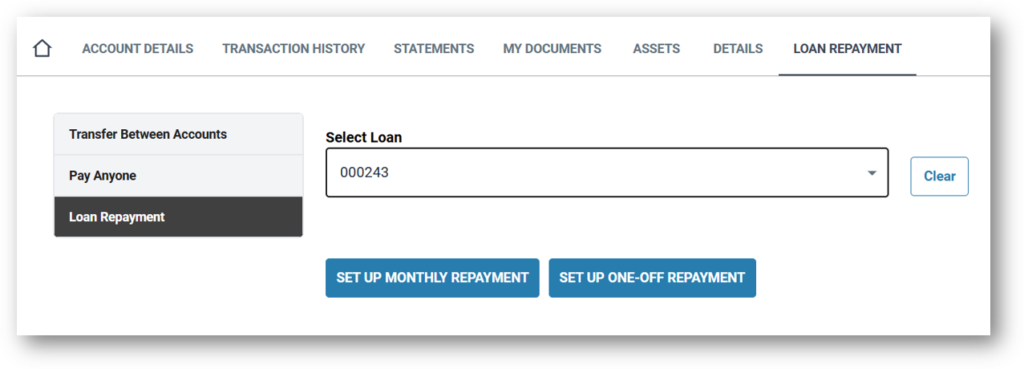
Loan Repayment image:
2. Repayment Details
Account Transfer image:
Pay Anyone image:
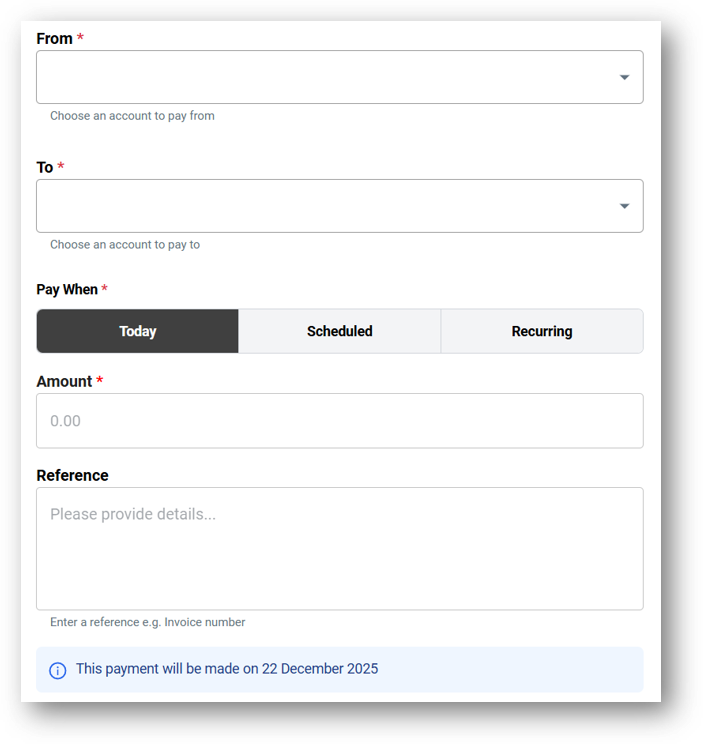
Loan Repayment image:
3. Repayment Frequency