
Internet Banking – Account Details tab
This tab provides an overview of the customers Account Details screen that they access through their Internet Banking.
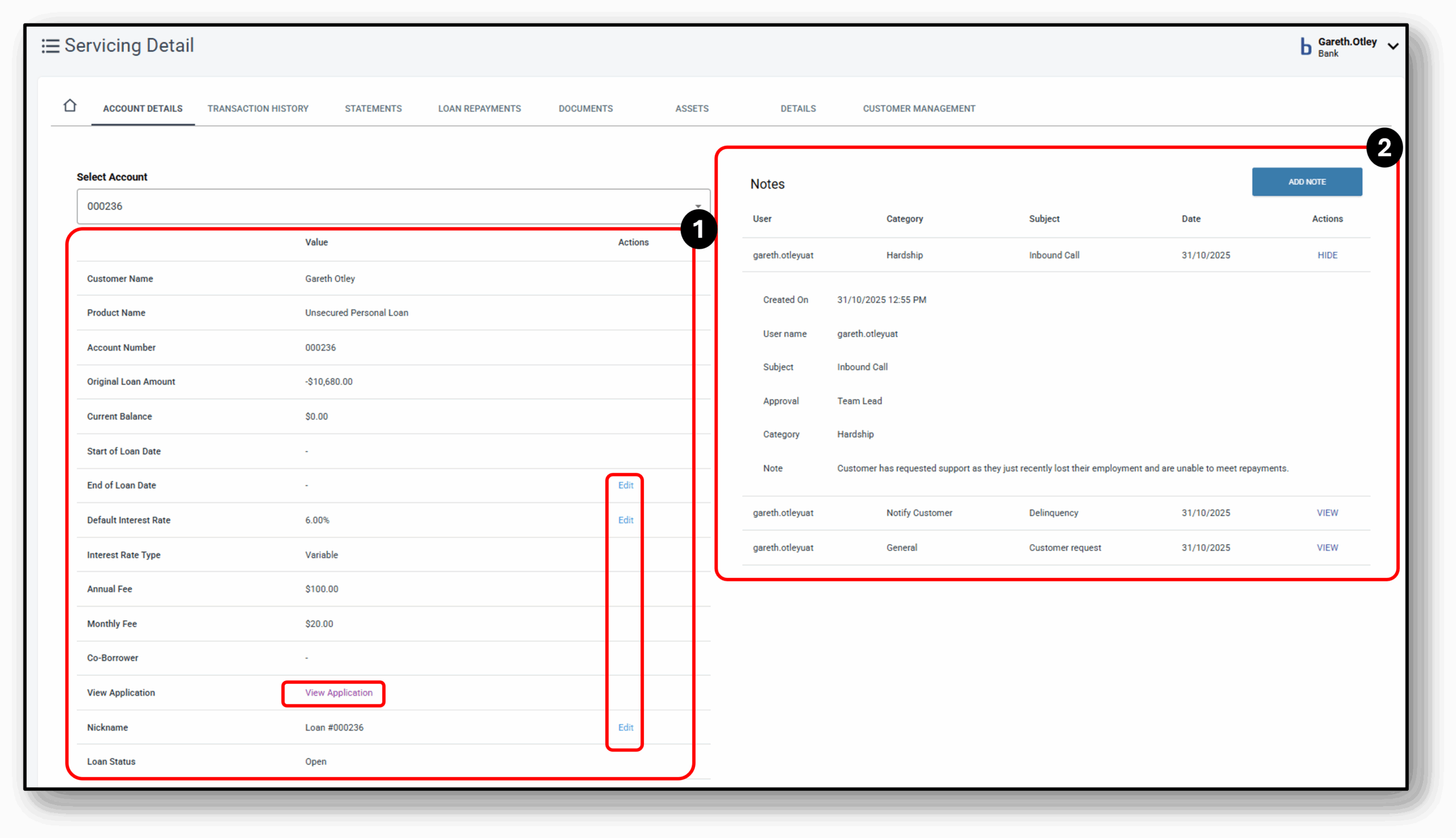

1. Account Details (left)
The main details of the account selected from the drop down. This will include:
- Product name
- Original Loan Amount
- Current Balance
- Start of Loan date
- End of Loan date (editable)
- Default Interest Rate (editable – can either Increase/decrease)
- Interest rate Type
- Any applicable fees
- View application (portal to the Loan Application Layer)
- Nickname of the Loan (editable)
- Loan Status
- Relationship Manager
- Funding Pool (editable)
At the very bottom is the ability to close the account
2. Notes (right)
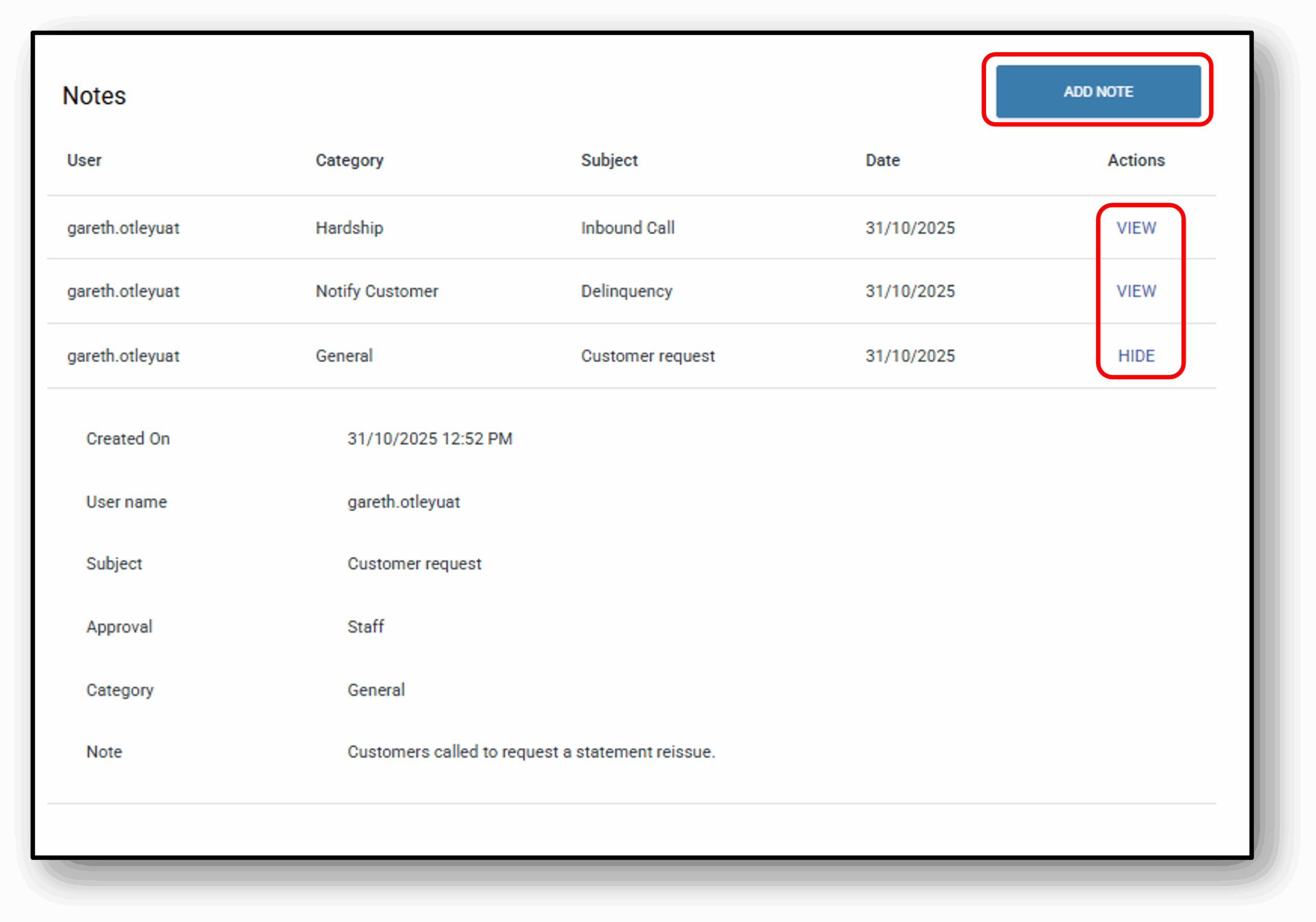
Under the notes section, users will see a condensed view of all previous notes. The condensed view will display:
- User (Name of the person who left the note
- Category (The classification of the note. See below for a full list)
- Subject (The reason the note was added)
- Date (when the the note was created)
- View (Allows the user to expand the note view to see the full details)
When the note is expanded the user will see two more fields:
- Approval (What level user approved the note. In most cases this may just say ‘Staff’ unless a special approval was required)
- Note (the full description of the note itself)
To add a note on the system click the blue ‘Add Note‘ button. Fill in the fields – Category, Subject & Approval. Note, all fields are ‘Required’.

Note Category with example notes:
- General – “Customer called to confirm account balance. No further action required.”
- Broker – “Broker submitted revised application documents on 30/10/2025.”
- Transaction – “Processed payment of $1,250 on 28/10/2025 via BPAY.”
- Interaction – “Spoke with customer regarding loan repayment schedule.”
- Credit – “Credit check completed – score 720, no adverse history.”
- Policy Exception – “Customer allowed to submit documents after deadline per manager approval.”
- Rate Approval – “Rate change request escalated to senior manager for review.”
- Important – “Account under audit – do not process new transactions.”
- Notify Staff – “Please review customer hardship application before COB.”
- Notify Customer – “SMS sent to customer confirming payment received.”
- Dispute – “Chargeback request submitted to card issuer.”
- Warning – “Customer account shows repeated late payments – monitor closely.”
- Fraud – “Suspicious login attempts from overseas IP – account locked.”
- Collections – “Payment arrangement agreed: $500 monthly starting 05/11/2025.”
- Hardship – “Customer applied for hardship due to job loss – documents pending.”
- Write Off – “Debt of $2,000 written off after unsuccessful recovery attempts.”
- Other – “Customer requested product brochure via email.”
Approval will be based on internal authority required for decisions. For example, you may need a ‘Head of Department’ to write off bad debt.